
How to Use Instagram Analytics to Decide What to Create Next
Learn how to use Instagram Analytics to identify content patterns, understand what your audience responds to, and turn your performance data into better content ideas.
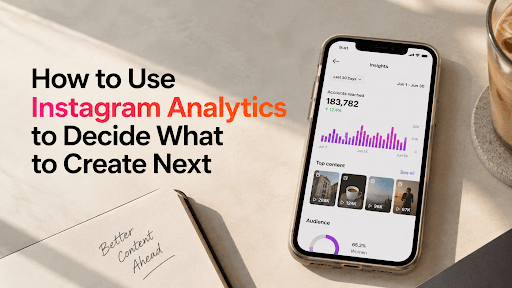
Your Instagram Insights shouldn't just tell you what performed well.
They should help you decide what to create next.
Instead of opening Analytics, checking your views and closing the app, use your last few posts as clues for your next batch of content.
Start With Your Top 5 - But Don't Pick Them by Views
Your most-viewed posts aren't automatically your best posts.
Pick your top 5 based on what you want to achieve:
- Growth: Followers gained
- Discovery: Non-follower reach
- Value: Saves and shares
- Community: Comments and interactions
- Conversion: Profile visits, clicks or enquiries
Instagram provides creators with performance insights that can help connect these numbers to individual content.
Look for the Pattern, Not the Post
Now ask what your top posts have in common.
Look at:
Topic: What subjects keep getting attention?
Format: Reels, carousels, talking-head videos, tutorials?
Opening: What happens in the first few seconds?
Audience: Are followers or non-followers responding more?
Retention: Where are viewers dropping off?
Instagram has introduced deeper Reel insights, including retention data and follower/non-follower reach, making this comparison more useful than simply checking plays.
You may discover something like:
“Whenever I solve a specific problem in a short tutorial, I get more saves and followers.”
That's your content clue.
Don't Copy the Winning Post
This is where creators often go wrong.
If a Reel performed well, don't make the same Reel again with a different thumbnail.
Copy the reason it worked.
If a tutorial performed well:
- Solve another problem for the same audience.
If a personal story performed well:
- Explore another experience with the same emotional angle.
If a comparison performed well:
- Create another comparison that helps your audience make a decision.
Repeat the signal, not the content.
Use Your Weak Posts Too
Your underperforming posts are useful data.
If five similar posts all have weak retention, maybe the format isn't working.
If people watch but don't follow, maybe the content is useful but doesn't give them a reason to explore your page.
If reach is strong but engagement is weak, the topic may attract attention without creating enough reason to interact.
Don't ask:
“Why did this flop?”
Ask:
“What should I change in the next version?”
Turn Analytics Into Your Next 10 Ideas
Once you've found a pattern, turn it into experiments.
For example:
3 posts → build on your strongest recurring topic
3 posts → test your strongest format
2 posts → combine the strongest topic + format
2 posts → try something completely new
This keeps your content strategy based on evidence without turning your page into the same post on repeat.
And if you're tracking performance across platforms, Hey! Creators' Social Insights can help you keep your social performance data in one place and spot patterns more easily.
Creator Takeaway
Your analytics aren't a report card.
They're a content research tool.
Don't use them only to find your biggest post.
Use them to answer:
What should I make more of?
What should I change?
What should I stop making?
What should I test next?
Your last 10 posts already contain clues for your next 10. You just have to read them.
Ready to start your creator journey?
Download Hey! Creators. Brand deals, affiliate earnings, AI tools, and everything you need in one app.