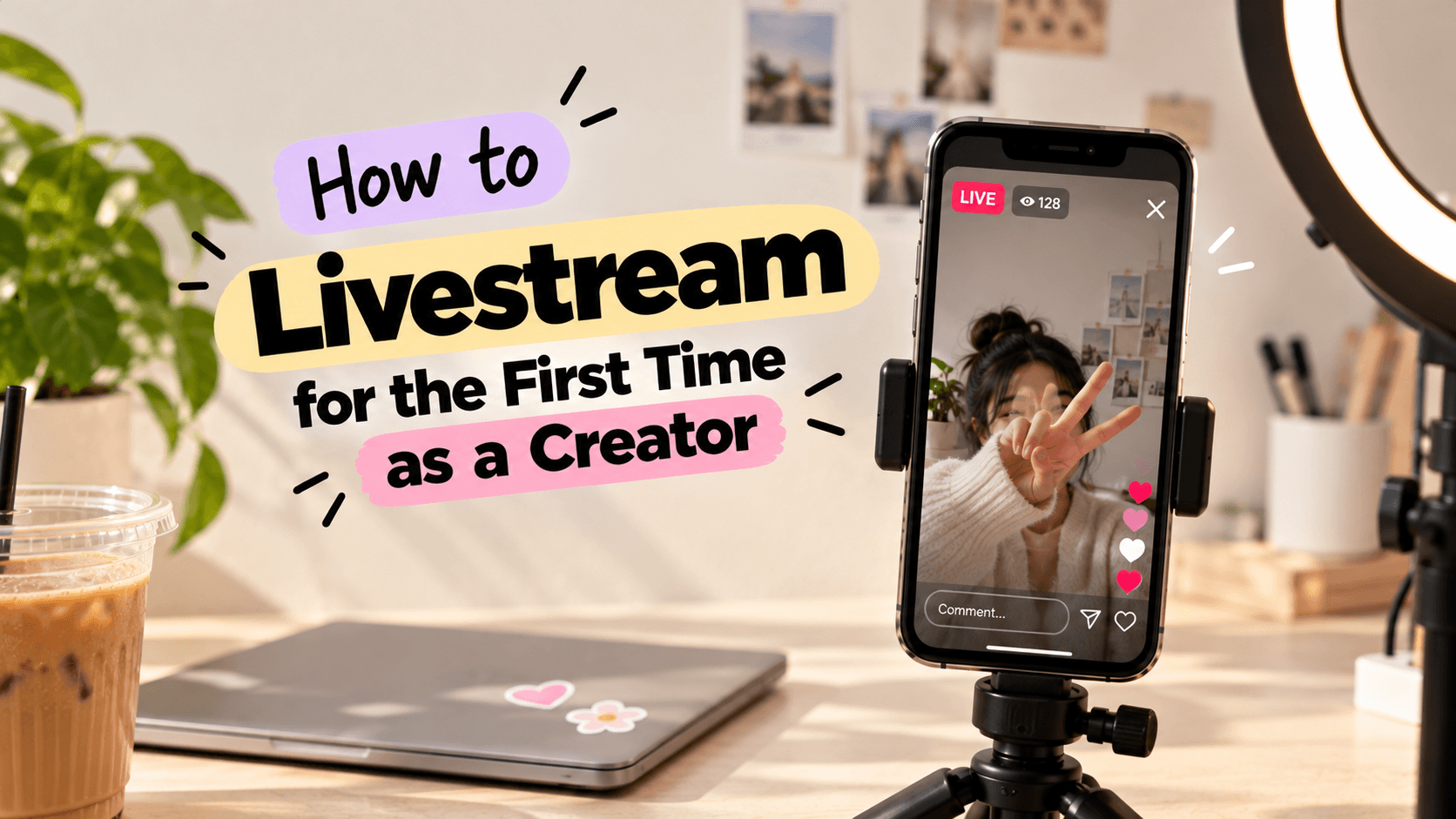
How to Livestream for the First Time as a Creator
Planning your first livestream? Learn how to choose a topic, set up your phone, engage viewers and go live confidently with these beginner-friendly tips.
Posting a Reel is one thing. Talking to your audience live, without edits or retakes? That's a different story.
What if nobody joins? What if you run out of things to say? And what if your internet decides to act up at the worst possible moment?
If you've been putting off your first livestream because of these questions, you're not alone.
The good news? Your first live doesn't need fancy equipment, a huge audience or a perfectly planned script. You just need a clear idea, a little preparation and the willingness to show up.
Here's how to livestream for the first time as a creator, without making it more complicated than it needs to be.
1. Choose a Topic Your Audience Actually Cares About
Before worrying about your camera or lighting, decide what your livestream will be about.
Going live without a topic can make it difficult to keep the conversation flowing. Choose something connected to your niche that gives viewers a reason to join.
Here are a few ideas:
- Fashion creators: Style one outfit in three different ways.
- Beauty creators: Share your everyday skincare or makeup routine.
- Food creators: Cook a simple recipe and answer questions while you do it.
- Travel creators: Share stories and tips from your latest trip.
- Education creators: Explain a topic your audience frequently asks about.
- Lifestyle creators: Have a casual chat about your routine or recent experiences.
You don't need to cover an entire subject in one session. Pick one specific topic that you can comfortably discuss for 15–20 minutes.
Quick tip: Check your comments and DMs for questions you've answered repeatedly. They can become ready-made topics for your first live.
2. Pick the Right Platform for Your First Livestream
You don't need to stream everywhere at once. Start on a platform where your audience already watches your content.
Depending on your goals, you could consider:
- Instagram Live: For casual conversations, Q&As and community interaction.
- YouTube Live: For tutorials, discussions, demonstrations and longer sessions.
- Other streaming platforms: For niche communities, gaming or specialised content.
Before choosing, check whether your account meets the platform's current livestreaming requirements. For example, YouTube's mobile livestreaming has eligibility requirements, including channel verification and a minimum subscriber count. You can check the official YouTube mobile livestreaming guide.
Choose one platform, learn how its live controls work and get comfortable with the process before trying more advanced setups.
3. Set Up Your Phone Before You Go Live
Your first livestream doesn't need a professional studio. A phone and a simple setup can be enough.
Focus on these basics:
- Camera: Clean your phone's camera lens and position it at eye level.
- Lighting: Face a window or use a light source that illuminates your face evenly.
- Audio: Choose a quiet space and keep your phone close enough for your voice to sound clear.
- Internet: Use a stable connection and test it before starting.
- Background: Choose a space without distracting movement or unnecessary clutter.
- Battery: Charge your phone and keep a charger nearby if needed.
If you're demonstrating a product, cooking or creating something with your hands, check the camera framing to make sure viewers can see what you're doing.
Remember: Clear audio and a stable connection matter more than buying expensive equipment for your first live.
4. Plan What You'll Say Without Writing a Full Script
One of the biggest worries before going live is running out of things to say.
You don't need to memorise a script. Instead, prepare a few talking points that help you move from one part of the livestream to the next.
For a product-review livestream, your outline might look like this:
- Opening: Introduce yourself and the product.
- Main discussion: Explain what you like, what could be better and who might find it useful.
- Audience interaction: Ask viewers what they want to know.
- Wrap-up: Summarise your thoughts and tell viewers where they can find more of your content.
Keep a few notes beside your phone so you can glance at them when needed.
This gives your livestream direction without making it sound rehearsed.
5. Announce Your Livestream Before You Start
Don't rely only on people discovering your live after you've started.
Give your audience a heads-up so interested viewers can plan to join.
You can:
- Share a Story announcing the topic and time.
- Post a short video explaining what you'll discuss.
- Ask followers to submit questions beforehand.
- Use a countdown or reminder feature if your platform offers one.
- Mention the livestream in your regular content.
Instead of posting just “Going live today,” give people a reason to care.
For example:
“Going live tomorrow! I'll be answering your questions about building a fashion creator page, choosing brand collaborations and getting started with affiliate marketing. Drop your questions below!”
A clear topic helps potential viewers understand what they'll get from joining.
6. Keep Your First Livestream Short and Simple
Your first live doesn't have to last an hour.
Start with around 15-20 minutes. It's long enough to introduce your topic, share something useful and interact with viewers without putting too much pressure on yourself.
Here's a simple structure you can follow.
A 20-minute plan for your first livestream
Minutes 0-3: Welcome viewers
Introduce yourself, explain what you'll be discussing and give late joiners a quick idea of the topic.
Minutes 3-8: Share your main points
Start with your most useful tip, story or demonstration. Don't wait for viewers to ask questions before giving them something valuable.
Minutes 8-15: Interact with your audience
Answer questions, respond to comments and ask viewers what they'd like to know next.
Minutes 15-18: Share one final takeaway
Recap the most important points or address a question you haven't covered yet.
Minutes 18-20: Wrap up
Thank viewers for joining, tell them what content to expect next and end the stream clearly.
You can adjust this structure based on your niche. A live cooking session, for instance, may need more time for the demonstration and less time for a formal introduction.
7. Learn How to Keep Viewers Engaged
Livestreaming isn't just about talking to a camera. It's an opportunity to have a conversation with your audience.
Instead of speaking continuously, create small opportunities for people to participate.
Try these simple techniques:
- Ask easy questions: “Which outfit would you choose, A or B?”
- Invite questions: “What would you like me to explain next?”
- Acknowledge comments: Respond naturally when someone shares a thought.
- Use viewer suggestions: Let the audience influence a demonstration or discussion when it makes sense.
- Recap the topic: Briefly explain what you're discussing when new viewers join.
For example, if you're a beauty creator testing two products, ask viewers which one they'd like you to demonstrate first.
And don't panic if the chat is quiet. Keep sharing useful information instead of repeatedly asking people to comment.
The goal isn't to keep everyone talking. It's to make joining the conversation feel easy.
8. What to Do If Nobody Joins Your Livestream
Let's talk about the awkward part.
You start your first live, look at the screen and see zero viewers. Now what?
First, don't end the livestream immediately. Some people may join later, and a quiet chat doesn't mean your content has no value.
Instead:
- Continue with the topic you planned.
- Explain your points as if you're speaking to one interested viewer.
- Demonstrate something useful or share a personal experience.
- Avoid repeatedly mentioning how few people are watching.
- Save or repurpose the content if your platform and settings allow it.
Think of your first livestream as practice. You're learning how to speak naturally, manage the controls and handle real-time conversations.
Even if only a few people join, you can still give them a useful experience.
9. Do a Quick Test Before Going Live
A small technical issue can distract you when you're already nervous. Take a few minutes to test your setup.
Before starting, check:
- Your microphone and camera permissions.
- Your internet connection.
- Your lighting and camera angle.
- Your livestream title and topic.
- Your phone's battery.
- Your notifications and any sensitive information visible on screen.
- The platform's options for comments, moderation and ending the stream.
If your platform supports a private rehearsal or practice mode, use it to get familiar with the controls.
YouTube, for example, offers a mobile Live practice mode to eligible creators as the feature rolls out. Check the YouTube mobile livestreaming guide for current availability and instructions.
A quick test can help you spot problems before your audience sees them.
10. Turn Your First Livestream Into More Content
Your work doesn't have to end when you tap “End Live.”
Depending on the platform's features and your settings, you may be able to save the livestream, create clips or reuse parts of the discussion.
You could turn one livestream into:
- Short clips featuring your best tips.
- Reels answering questions from viewers.
- A carousel summarising the main takeaways.
- A follow-up post answering questions you missed.
- Ideas for your next livestream.
For example, a 20-minute live about affiliate marketing could give you several short videos explaining how affiliate links work, what beginners should check and which mistakes to avoid.
Check your platform's replay and clipping options before the session so you know what you can save.
This way, your first livestream can become more than one piece of content.
Common First-Livestream Mistakes to Avoid
A few habits can make your first live more stressful than it needs to be:
- Waiting for the perfect setup: Start with what you have and improve as you learn.
- Trying to cover too much: Choose one clear topic.
- Reading a script word for word: Use talking points to keep the conversation natural.
- Ignoring the audience: Leave room for comments and questions.
- Ending too early because of low viewers: Stick to your plan and treat the session as practice.
- Forgetting privacy and moderation: Check what appears on screen and learn how to manage unwanted comments.
- Never reviewing the session: Reflect on what worked and what you'd change next time.
Your first livestream is a learning experience, not a performance you need to get perfect.
Final Thoughts
Going live for the first time can feel intimidating, especially when you're used to editing out every mistake before posting.
But that's also what makes livestreaming different. Your audience gets to see your personality, hear your thoughts and interact with you in real time.
Start with one topic, a simple setup and a short plan. Announce your session, test your equipment and focus on giving viewers a reason to stay.
Your first livestream might not go exactly as planned. That's okay.
You don't need to be a livestreaming expert to start. You just need to press “Go Live” and learn from the experience.
FAQs
1. How do I livestream for the first time as a creator?
Choose a topic, select a platform, check your account's eligibility, test your camera and audio, and prepare a few talking points. Start with a short session and focus on having a natural conversation with your audience.
2. How long should my first livestream be?
Around 15-20 minutes is a manageable starting point. It gives you time to introduce your topic, share useful information and answer questions without feeling pressured to fill a long session.
3. Do I need special equipment to livestream?
No. A smartphone, stable internet connection, clear audio and decent lighting can be enough. You can invest in additional equipment later if your content needs it.
4. What should I talk about during my first livestream?
Choose a topic related to your niche, such as a tutorial, product demonstration, Q&A, behind-the-scenes session or personal experience. Prepare a few talking points and invite your audience to ask questions.
5. What if nobody watches my first livestream?
Continue with your planned topic instead of ending immediately. Use the session to practise speaking, learn the platform's controls and improve your setup. Promote your next live in advance and experiment with topics your audience finds useful.
6. Can I reuse my livestream as other content?
Yes, if your platform and settings allow you to save or clip the session. You can repurpose useful moments into short videos, carousels, tutorials or follow-up posts.
Ready to start your creator journey?
Download Hey! Creators. Brand deals, affiliate earnings, AI tools, and everything you need in one app.